Stop copy-pasting text into chatbots. AI Browser Assistant reads any webpage directly and lets you have a real conversation about it — summaries, questions, comparisons, and more, all without leaving the tab.
No account required · Works on any website · Free to start
Real screenshots of AI Browser Assistant guiding users through tasks on live websites.
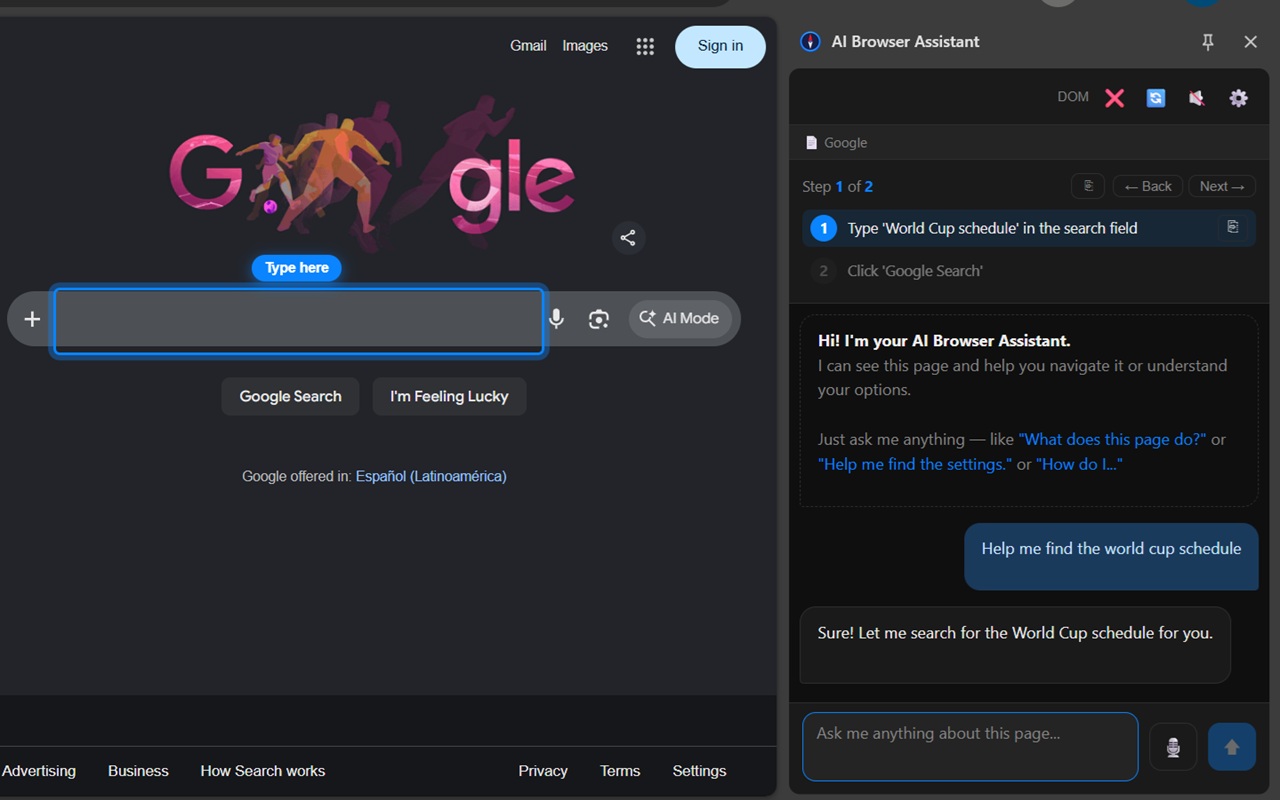
Ask a question and the AI highlights exactly where to type or click
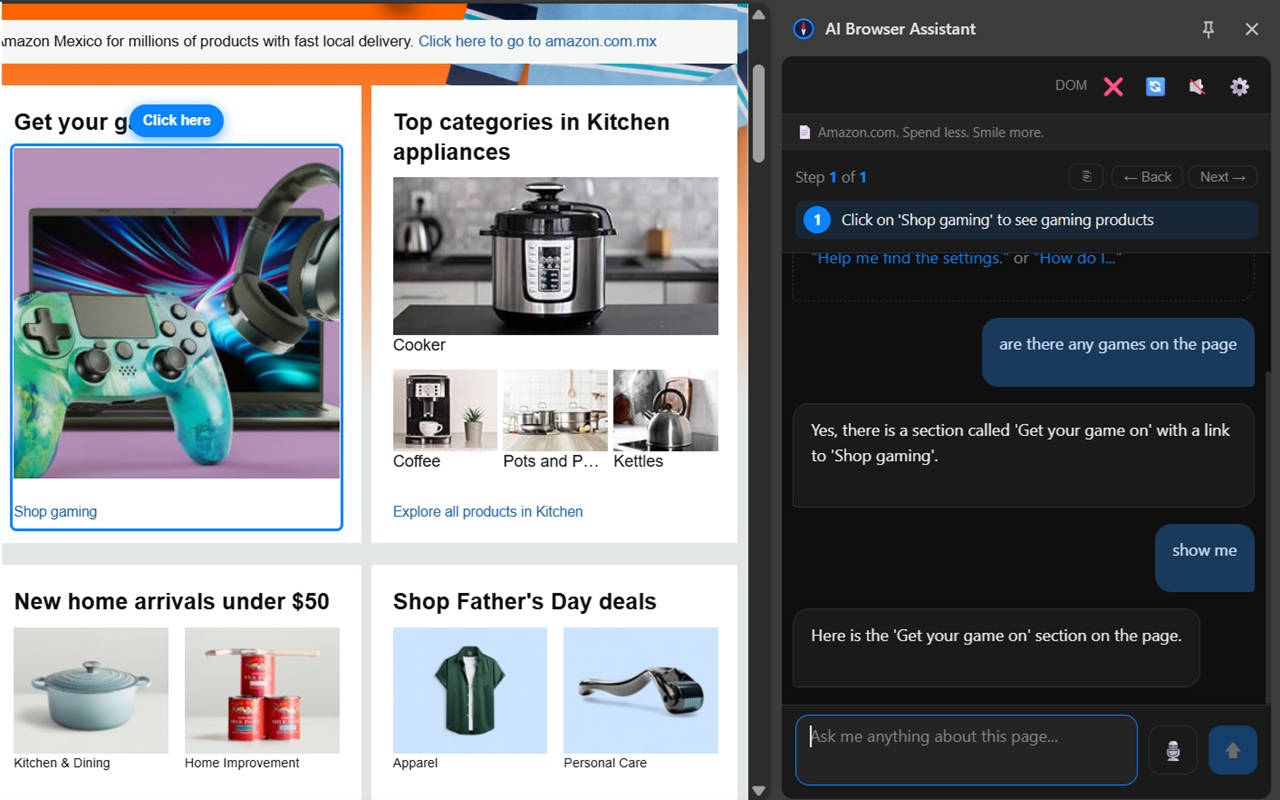
The AI finds and points to what you're looking for on any website
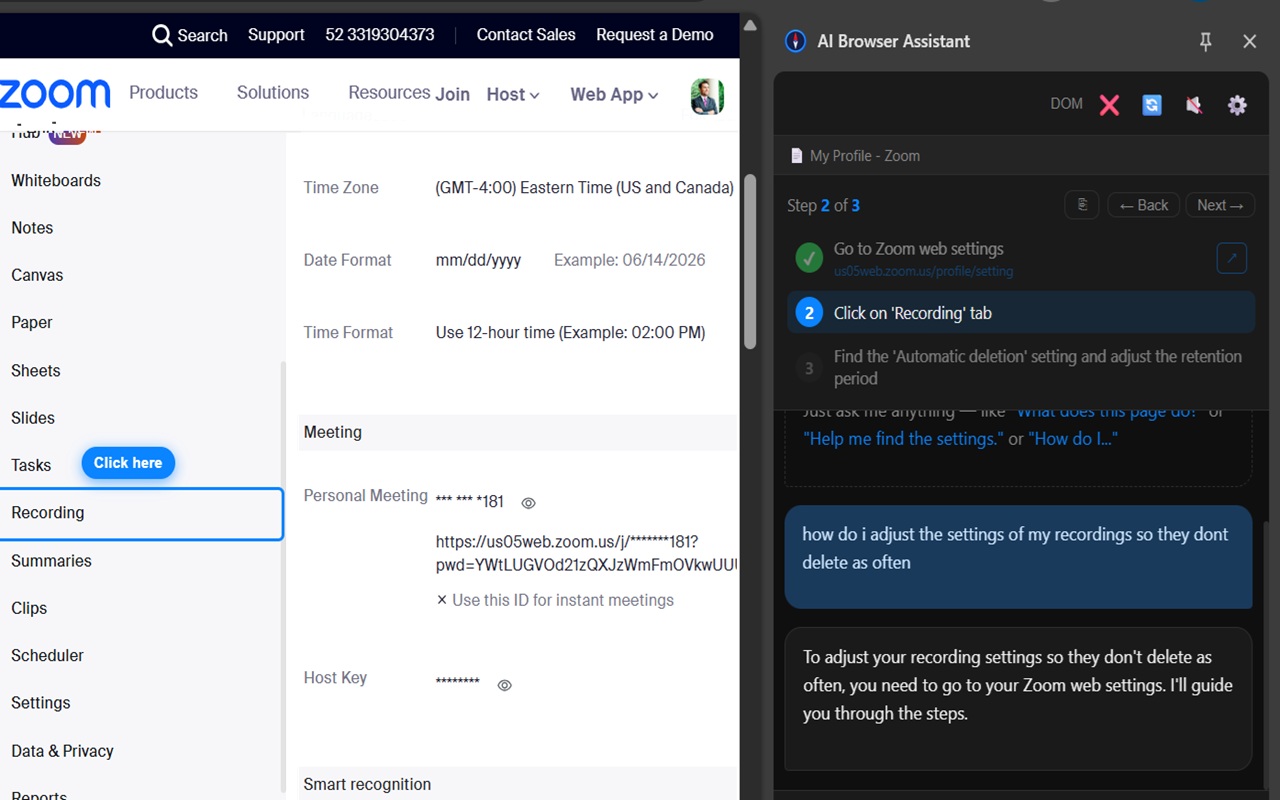
Step-by-step guided walkthroughs through complex settings on any platform
Three steps and you're talking to any website on the internet.
Add AI Browser Assistant to Chrome in seconds from the Chrome Web Store. No account, no setup, no configuration required.
Navigate to any website — a news article, product page, government portal, documentation site, or anything else you want to understand better.
Click the sidebar and type (or speak) your question. The AI reads the live page and answers instantly — with full context from the page content.
From quick summaries to detailed analysis, you can ask anything about the page you're viewing.
"Summarize this article in 3 bullet points." Get the key takeaways from any news article, blog post, or long-form content instantly — without reading the whole thing.
"What are the pros and cons of this product?" or "Is this product compatible with X?" Get AI-powered answers drawn directly from the product listing you're viewing.
"What does this terms and conditions section mean in plain English?" AI Browser Assistant reads legal, financial, and government pages and explains them clearly.
"What is the return policy on this page?" or "What are the opening hours listed here?" Extract exactly the detail you need without scrolling through the whole page.
Attach a PDF and ask questions about it. AI Browser Assistant extracts the text and lets you chat with the document — ideal for contracts, reports, and manuals.
Take a screenshot or highlight any part of the screen and ask the AI what it shows. Great for reading charts, understanding diagrams, or transcribing text from images.
The extension reads the text content of the current page directly from your browser — the same content you see on screen. No external scraping, no server-side fetching. It uses what's already loaded in your tab.
Yes. Since it reads the live page in your browser, it works on any page you're already authenticated on — account dashboards, subscription content, employer portals, and more.
Absolutely. AI Browser Assistant maintains conversation history so you can ask follow-up questions, dig deeper into a topic, or ask about a different part of the same page.
Yes, it's free to install and use. You get a monthly token allowance at no cost. Optional packs are available for heavier usage.
Install in seconds. No account required. Works on any website.
Add to Chrome — Free
 Add to Chrome — It's Free