Confused by a complex website? AI Web Assistant reads the page you're on and walks you through any task — one highlighted step at a time. Forms, bookings, government portals, account setup — anything online, guided by AI.
No account required · Works on any website · Free to start
Real screenshots of AI Browser Assistant guiding users through tasks on live websites.
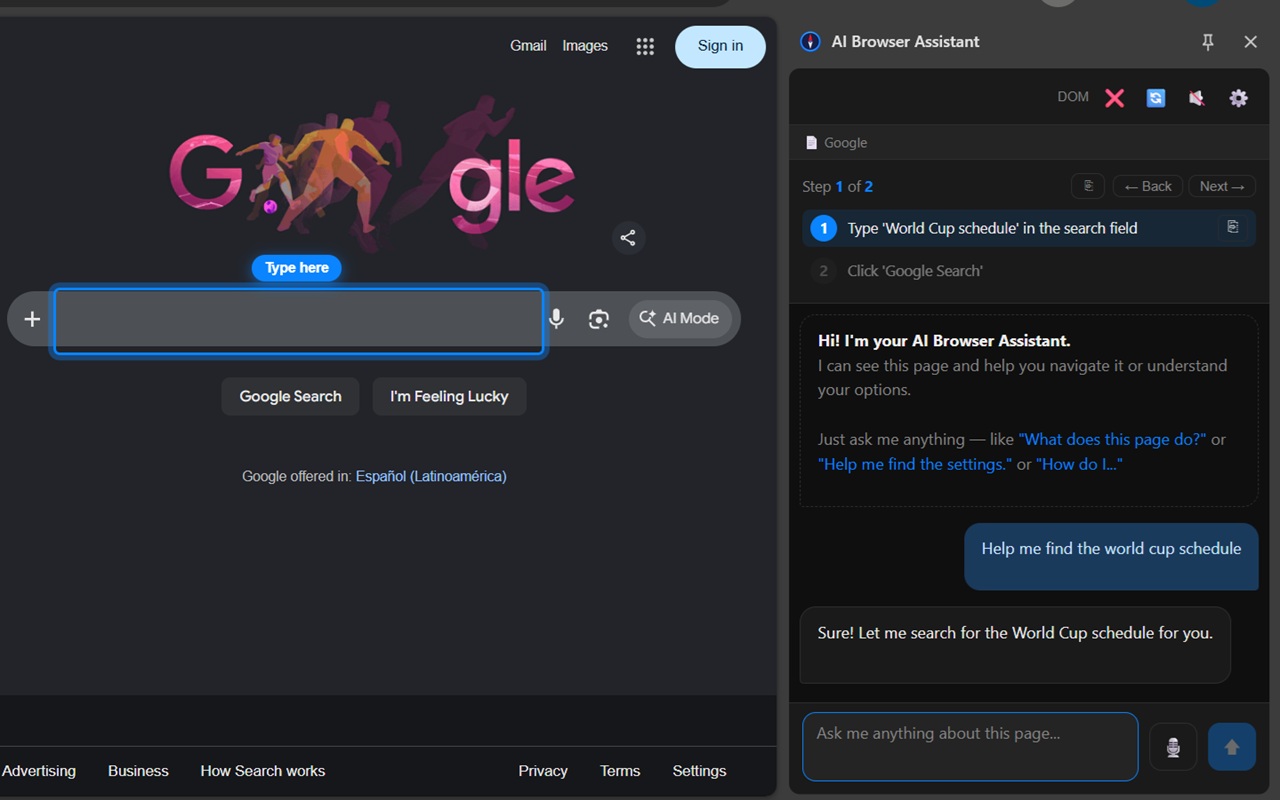
Ask a question and the AI highlights exactly where to type or click
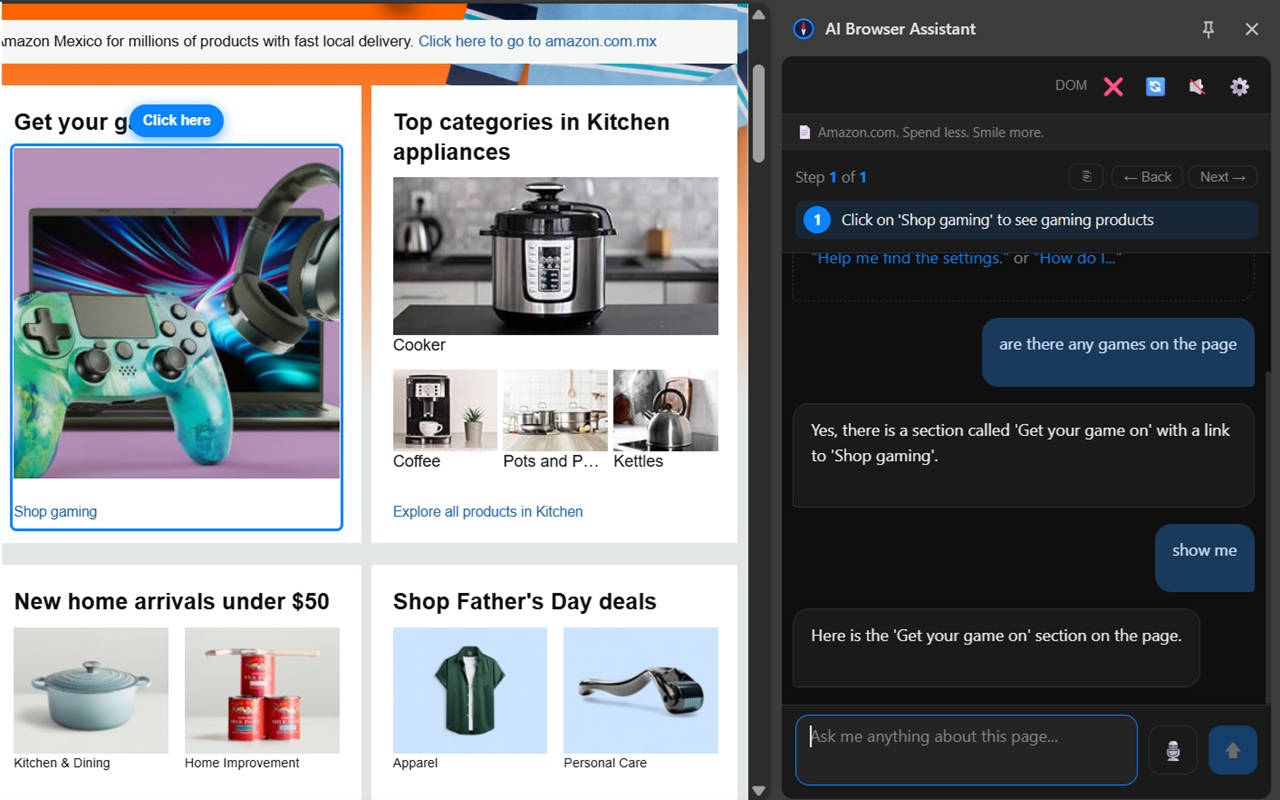
The AI finds and points to what you're looking for on any website
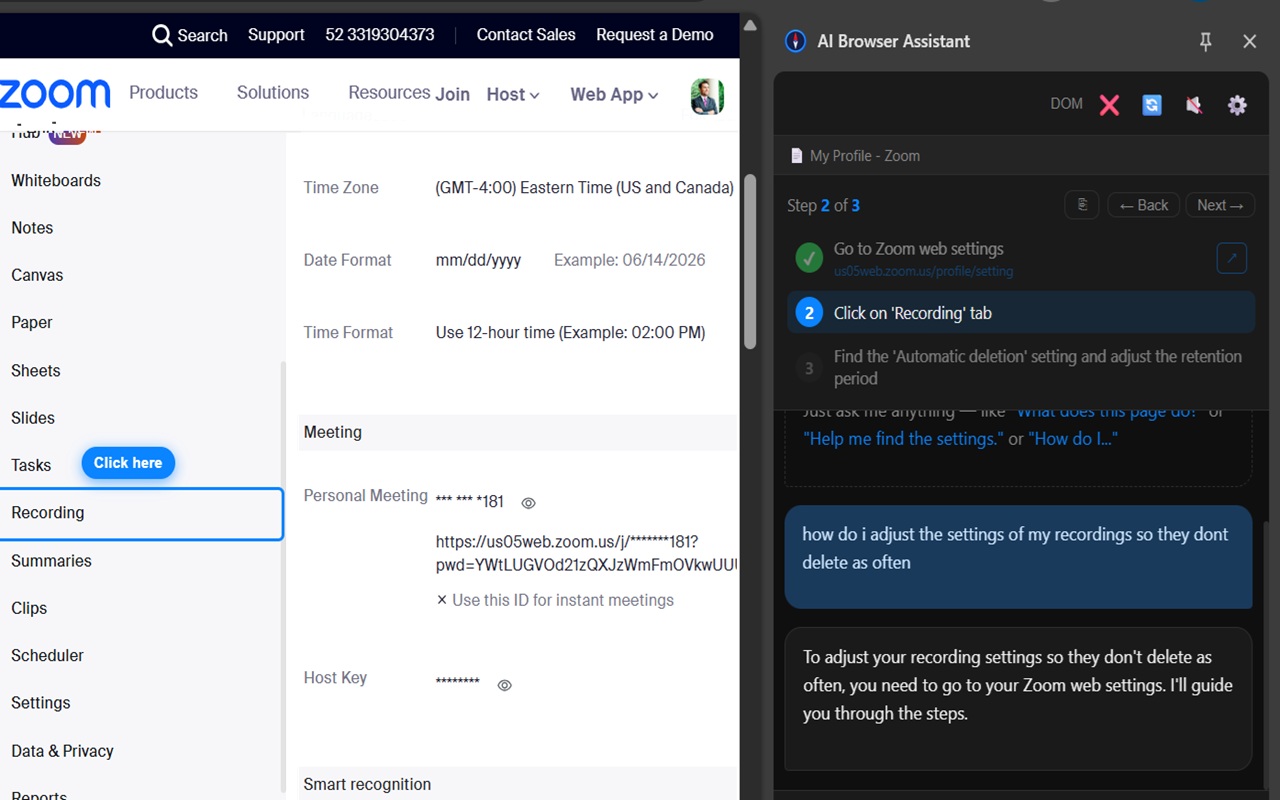
Step-by-step guided walkthroughs through complex settings on any platform
Tell the AI what you want to do. It reads the page, breaks the task into steps, and highlights exactly where to go next.
Type what you're trying to do in plain language — "help me apply for a Medicare supplement plan" or "I want to change my shipping address." No technical knowledge needed.
The AI analyzes the current page structure, identifies the relevant buttons, fields, and links, and creates a step-by-step plan tailored to what's actually on your screen.
Each step is numbered and visually highlighted on the page. Click, type, or interact with the highlighted element, then move to the next step — until the task is complete.
Any website with multi-step processes becomes easy with step-by-step AI guidance.
Medicare, Social Security, IRS, DMV, immigration, housing assistance — government websites are notoriously complex. AI Web Assistant guides you through every step, in plain language.
Set up a new account, transfer funds, apply for a loan, or manage your investments — AI guides you through banking tasks without confusion or mistakes.
Complete purchases, apply coupon codes, navigate checkout flows, set up wishlists — AI guidance makes online shopping smooth from start to finish.
Book appointments, complete patient intake forms, navigate insurance portals, and understand your coverage — with clear AI guidance at each step.
Search for flights, compare options, enter passenger details, and complete bookings — guided step by step through complex travel booking interfaces.
New to a platform? AI guides you through any registration or account setup flow — email verification, profile completion, preference settings, and more.
AI Web Assistant is a lifeline for older adults navigating Medicare, Social Security, banking, or any government website. Clear visual steps eliminate confusion and build confidence online.
Navigating a website in a second language is challenging. AI Web Assistant provides step-by-step guidance so you always know what to do next, regardless of language complexity.
Voice input, spoken step guidance, and visual highlights make AI Web Assistant a powerful accessibility tool for users with vision, motor, or cognitive challenges.
Complete unfamiliar online tasks quickly without hunting through menus or reading help documentation. Let the AI find the path and show you exactly where to go.
The AI reads the current page's content and structure, understands what elements are available (buttons, forms, links), and generates a step-by-step plan. Each step highlights the specific element you need to interact with next.
Yes. AI Web Assistant works on any website, including government portals. It adapts to each site's unique layout and guides you through the process in plain language.
Yes. It identifies form fields, tells you what to enter, and highlights them one at a time. You can also ask it to explain what a specific field is asking for.
Yes. AI Browser Assistant is free to install and includes a monthly token allowance. Optional packs are available for heavier usage.
No. Just describe what you want to do in plain English. The AI handles everything else — reading the page, planning the steps, and guiding you through each one.
Install in seconds. No account required. Works on any website.
Add to Chrome — Free
 Add to Chrome — It's Free