AI Browser Assistant sits in your browser sidebar and reads the live page you're on — so you can ask questions, get step-by-step guidance, analyze images, read PDFs, and complete any online task, all without opening a new tab.
No account required · Works on any website · Free to start
Real screenshots of AI Browser Assistant guiding users through tasks on live websites.
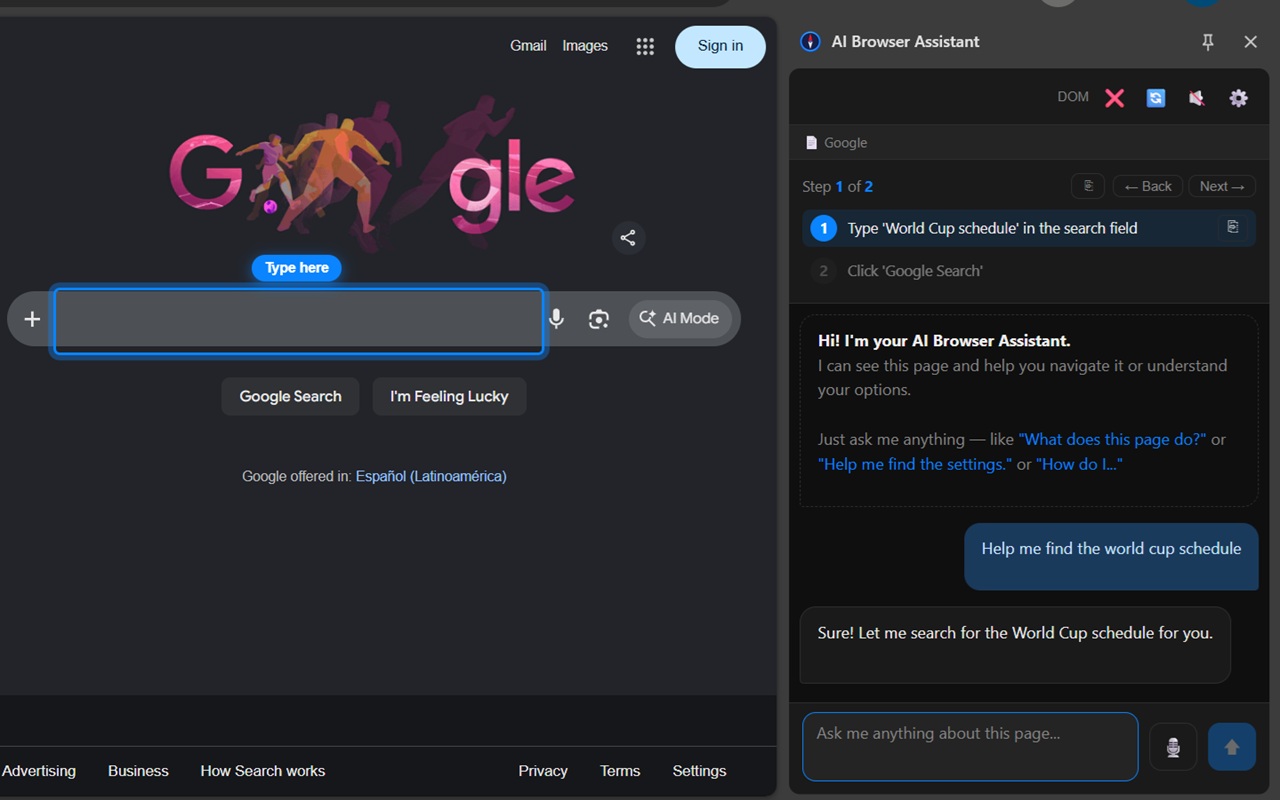
Ask a question and the AI highlights exactly where to type or click
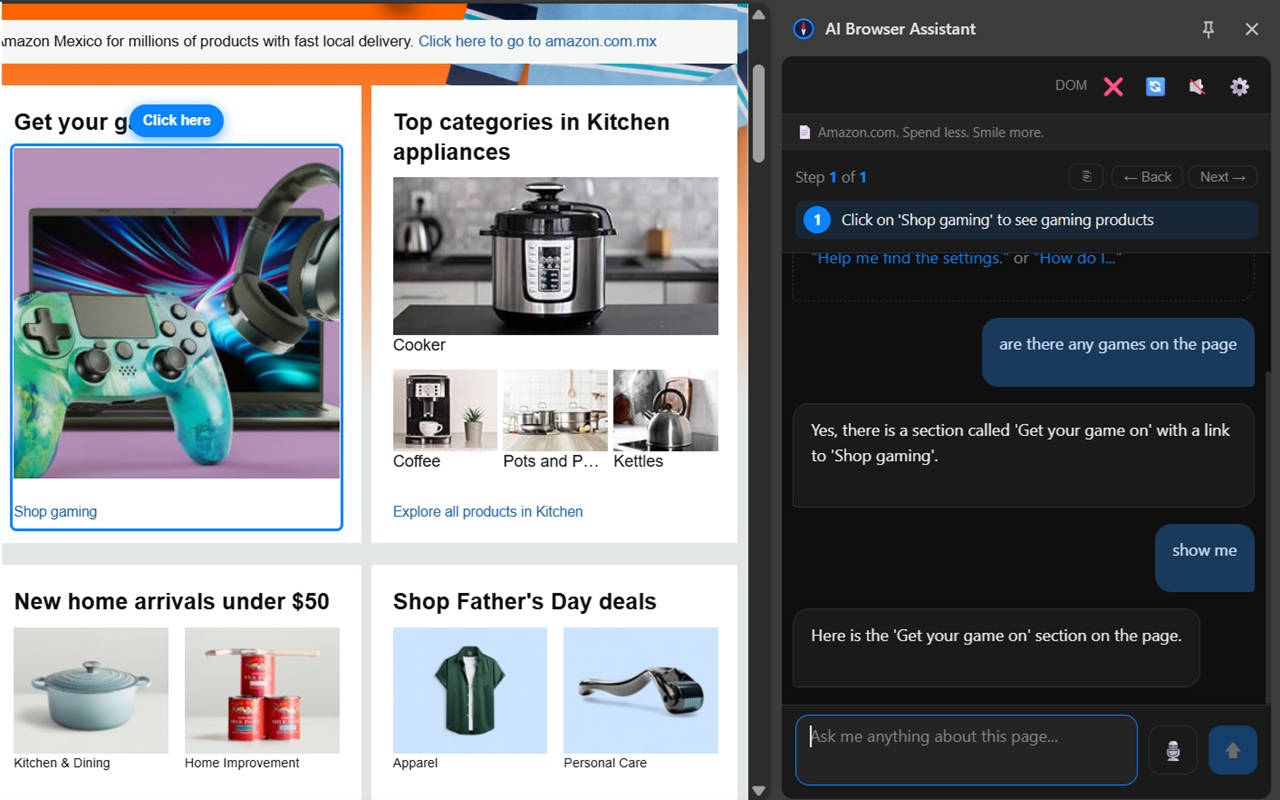
The AI finds and points to what you're looking for on any website
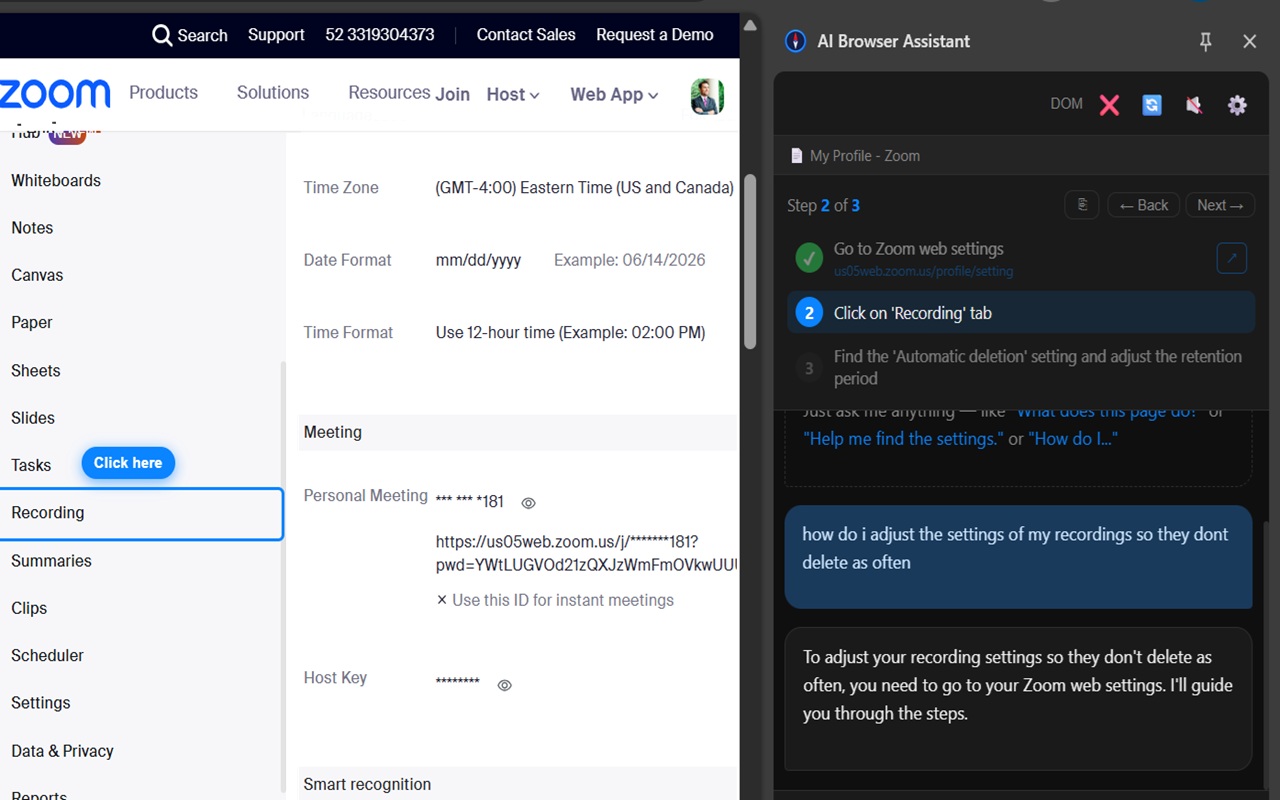
Step-by-step guided walkthroughs through complex settings on any platform
An AI browser assistant is a browser extension that uses artificial intelligence to help you while you're browsing the web — reading pages, answering questions, and guiding you through tasks in real time.
Unlike generic AI chatbots, AI Browser Assistant reads the actual page you're on and uses that content to answer your questions accurately — no copy-pasting needed.
Ask it to help you complete a task and it breaks the process into numbered steps, visually highlighting exactly what to click or type on the page.
Use your voice to ask questions and hear spoken responses. Ideal for multitasking, accessibility, or simply keeping your hands on the keyboard.
Upload a PDF and ask questions about it. AI Browser Assistant extracts the text and lets you chat with the document directly — no external tools needed.
Upload an image, take a screenshot, or highlight a specific area of the screen and the AI will describe, read, or analyze it for you.
Government portals, banking, e-commerce, healthcare, social media — AI Browser Assistant adapts to any site without requiring setup or configuration.
From everyday browsing to complex multi-step tasks, people of all backgrounds use AI Browser Assistant to get things done faster.
Struggling to find the right button on a government website? AI Browser Assistant guides you through Medicare portals, benefit applications, and banking sites one step at a time with clear visual highlights.
Get instant answers about the pages you're working on, summarize long documents, and complete repetitive online tasks faster without switching between apps.
Summarize articles, ask follow-up questions about content, analyze graphs and charts from screenshots, and get step-by-step help navigating academic portals.
From finding the right product to completing a checkout form, AI Browser Assistant can walk you through any e-commerce or booking flow without confusion.
An AI browser assistant is a browser extension powered by artificial intelligence that helps you while you browse the web. It reads the page you're on, answers your questions about it, guides you through tasks step by step, and can analyze images and PDFs — all from a panel inside your browser.
Yes. AI Browser Assistant works on virtually any website. It reads the live page content and adapts to whatever site you're on — no configuration required.
Yes, it's free to install and comes with a monthly token allowance. Optional packs are available if you need more interactions.
Yes. Any Chromium-based browser including Edge, Brave, and Opera can install it from the Chrome Web Store.
No account is needed. Install and start using it right away.
Install in seconds. No account required. Works on any website.
Add to Chrome — Free
 Add to Chrome — It's Free